Back to School Kindergarten SVG Bundle: A Practical Resource for Educators and Crafters
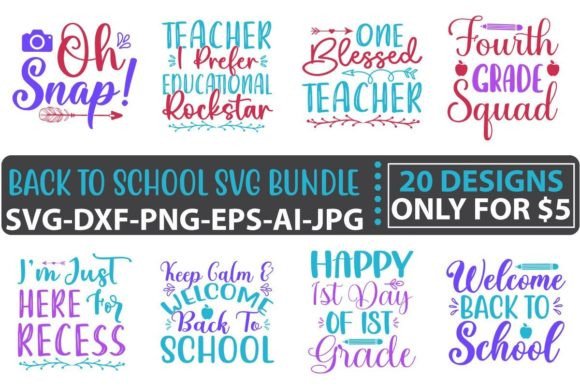
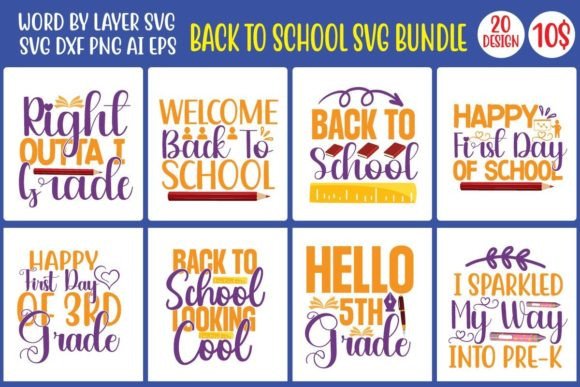
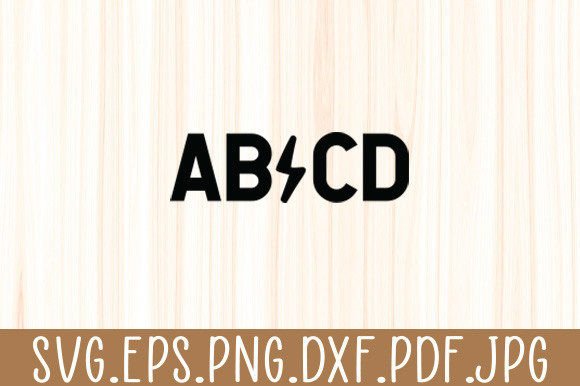
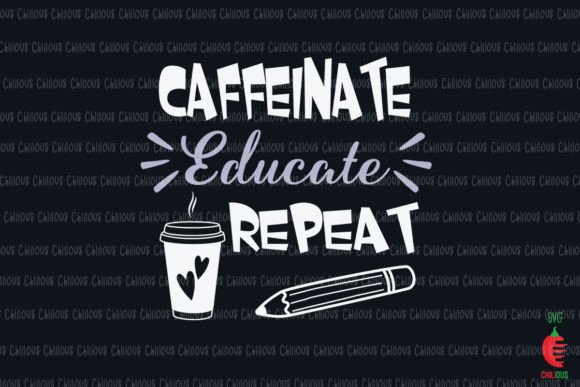
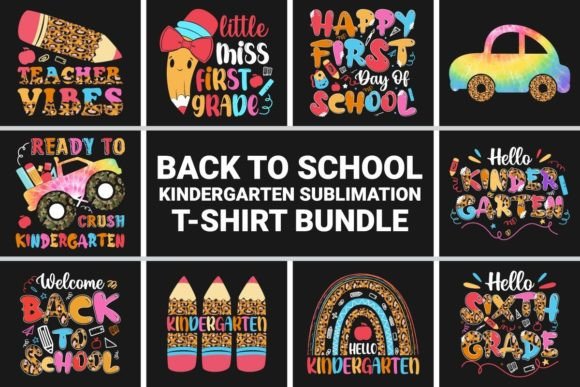
The Back to School Kindergarten SVG Bundle is a curated collection of scalable vector designs tailored specifically for early childhood education themes—think apples, pencils, backpacks, smiling suns, ABC blocks, and cheerful animal characters. Unlike generic school-themed graphics, this bundle focuses on visual language appropriate for kindergarten-aged learners: clean lines, friendly proportions, and intentional simplicity that supports recognition, engagement, and classroom inclusivity. It’s not just clip art repackaged—it’s purpose-built for real-world application in both physical and digital environments.
What Makes This Bundle Distinctive?
At its core, the Back to School Kindergarten SVG Bundle stands out through format versatility and functional design intent. Each graphic is delivered in four native file types: AI (Adobe Illustrator), EPS (Encapsulated PostScript), SVG (Scalable Vector Graphics), and PNG (Portable Network Graphics). That combination bridges compatibility gaps across platforms—from professional design software to beginner-friendly cutting machines like Cricut Design Space or Silhouette Studio.
More importantly, every element is constructed from 100% vector shapes. That means no pixelation at any size—whether scaling a single apple icon to 2 inches for a name tag or enlarging it to 24 inches for a classroom poster. Colors are fully editable without layer flattening or raster effects, supporting quick customization to match school branding, classroom color schemes, or accessibility needs (e.g., higher contrast for visual processing support).
The bundle also prioritizes production readiness. Designs are pre-optimized for common output methods: heat-transfer vinyl for t-shirts, printable sticker sheets, iron-on patches, laminated flashcards, and bulletin board displays. No extra tracing, outlining, or cleanup is required—just open, adjust, and export.
How It Compares With Other Options
When evaluating resources for back-to-school projects, users often encounter three broad categories: single-use PNG packs, subscription-based design libraries, and custom illustration services.
- PNG-only bundles offer convenience but lack scalability and editing flexibility. Enlarging a 300 dpi PNG beyond its original dimensions introduces blurriness—problematic for large-format printing or multi-size applications like matching student badges and wall banners.
- Subscription libraries (e.g., Canva Pro or Creative Market subscriptions) provide breadth but require ongoing fees and may include inconsistent style cohesion. Finding 20+ coordinated, kindergarten-appropriate elements across different artists can take significant curation time—and licensing terms vary widely for commercial use, especially in school-run fundraisers or PTA merchandise.
- Custom illustration work delivers uniqueness but carries cost ($150–$500+ per set) and turnaround time (days to weeks), making it impractical for last-minute prep or iterative classroom testing.
In contrast, the Back to School Kindergarten SVG Bundle offers a middle path: one-time access to a focused, stylistically unified set of editable assets with commercial-use clarity built in. Its $8 price point reflects targeted utility—not mass-market volume—making it suitable for educators, homeschool coordinators, small craft businesses, and parent volunteers who need reliable, repeatable visuals without overcommitting time or budget.
Strengths and Realistic Tradeoffs
Key strengths:
- Format coverage: AI and EPS files ensure compatibility with industry-standard vector editors; SVG works natively in web tools and many cutting machines; PNG provides immediate drag-and-drop use in presentations or newsletters.
- Editing efficiency: Because all shapes are ungrouped and layered logically (e.g., “apple core” separate from “apple skin”), swapping colors or hiding elements takes seconds—not minutes.
- Print-ready precision: Stroke weights and spacing follow standard cut-file guidelines, reducing trial-and-error when preparing for vinyl or paper cutting.
Tradeoffs to consider:
- This is not an all-in-one curriculum resource. It contains no lesson plans, editable text overlays, or interactive digital components—just foundational visual assets.
- While highly customizable, it assumes basic familiarity with vector editing concepts (e.g., selecting layers, using the Pathfinder tool, adjusting stroke/fill). Absolute beginners may need a short learning curve before full utilization.
- The bundle focuses exclusively on kindergarten themes—so users needing mixed-grade materials (e.g., K–2 combined) or subject-specific icons (science experiments, math manipulatives) would need supplemental sets.
Best-Fit Situations and Decision Factors
The Back to School Kindergarten SVG Bundle fits most naturally when you need consistency, speed, and control across multiple physical outputs. For example:
- A teacher preparing welcome kits for 25 students might use the bundle to generate matching name tags (SVG), class t-shirts (AI + heat-transfer vinyl), and hallway posters (EPS + large-format printer)—all from the same base design, adjusted only for size and color.
- A PTA organizing a fundraiser could adapt the backpack icon into a logo for tote bags and stickers, then reuse the same vector paths to create a matching digital banner for social media—no redesign needed.
- A homeschool parent building a themed learning space might cut felt versions of the apple and pencil icons for a tactile alphabet wall, then print simplified black-and-white versions (using the PNGs) for coloring sheets.
It becomes less optimal if your priority is dynamic content generation—for instance, automatically populating student names across dozens of certificates (where template-based tools like Google Docs mail merge or Canva’s dynamic fields would be faster). Similarly, if your workflow relies entirely on mobile apps without desktop vector support, the AI/EPS files won’t be usable—but the SVG and PNG options still retain substantial value.
When to Choose This Bundle—and When to Look Elsewhere
Choose the Back to School Kindergarten SVG Bundle if you:
- Work across multiple output formats (print, cut, web) and want one source file to serve them all;
- Prefer upfront cost certainty over recurring subscriptions;
- Value stylistic continuity and age-appropriate visual tone;
- Have access to basic vector editing tools—or are willing to learn fundamentals that apply broadly beyond this single purchase.
Consider alternatives if you:
- Need extensive text integration (e.g., editable quote templates or multilingual labels) — look for bundles with layered PSD files or editable PDFs;
- Require animation, interactivity, or responsive web behavior — SVG alone isn’t sufficient without front-end development support;
- Are sourcing for district-wide implementation with strict accessibility compliance (e.g., WCAG 2.1 AA) — verify contrast ratios and semantic labeling separately, as these aren’t guaranteed in the bundle itself.
Ultimately, the Back to School Kindergarten SVG Bundle serves as a practical foundation—not a finished product. Its usefulness grows with intentionality: pairing it with thoughtful layout choices, inclusive color palettes, and clear pedagogical goals transforms technical assets into meaningful classroom tools. Whether used for quiet reflection corners or energetic morning meetings, these vectors support the work educators do every day—not by replacing it, but by removing friction from the visual layer of learning.